Our Knowledge Base is a growing library of articles and guides designed to help you get the most out of HDC Discover. Whether you are just getting started or looking to explore a specific feature in more detail, the Knowledge Base puts helpful information right at your fingertips.
What’s Available in the Knowledge Base?
The Knowledge Base contains detailed articles and step-by-step guides covering features throughout HDC Discover. You can use it to learn about:
- Setting up and managing data sources
- Inviting users to your organization and/or custom groups
- Navigating the QI Panel
- Interpreting charts and graphs
- Exploring Single Measure View
- Our Privacy policy and much more
Our goal is to make it easier to find answers when you need them, without having to leave your workflow.
How to Access the Knowledge Base
- Click the Help & Support button located in the bottom-right corner of the application

2. From the list of available options, click Access our Knowledge Base
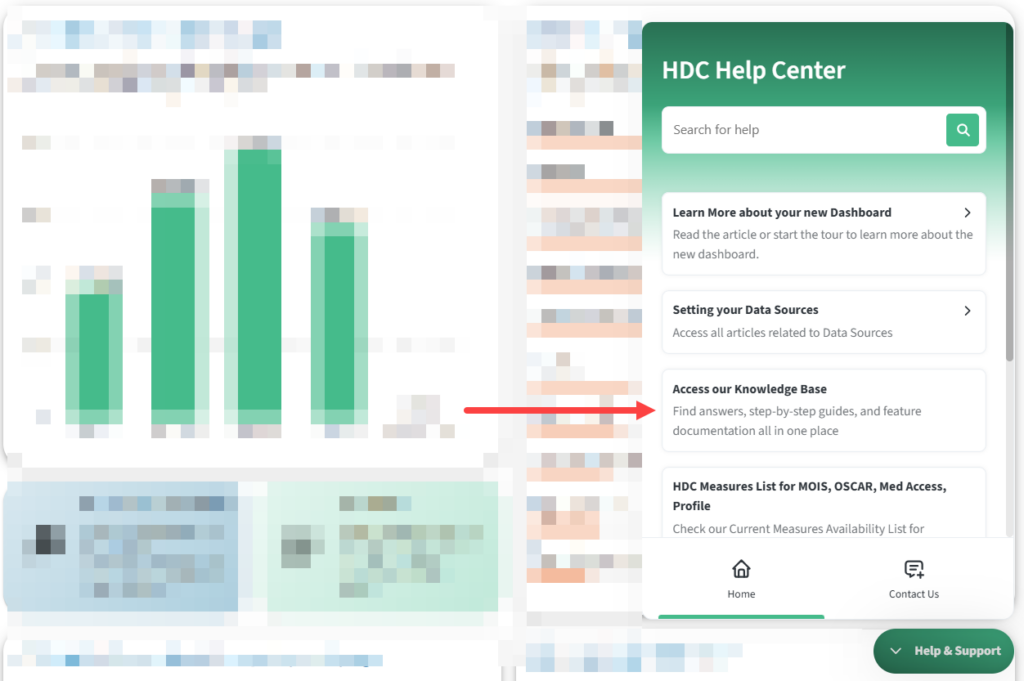
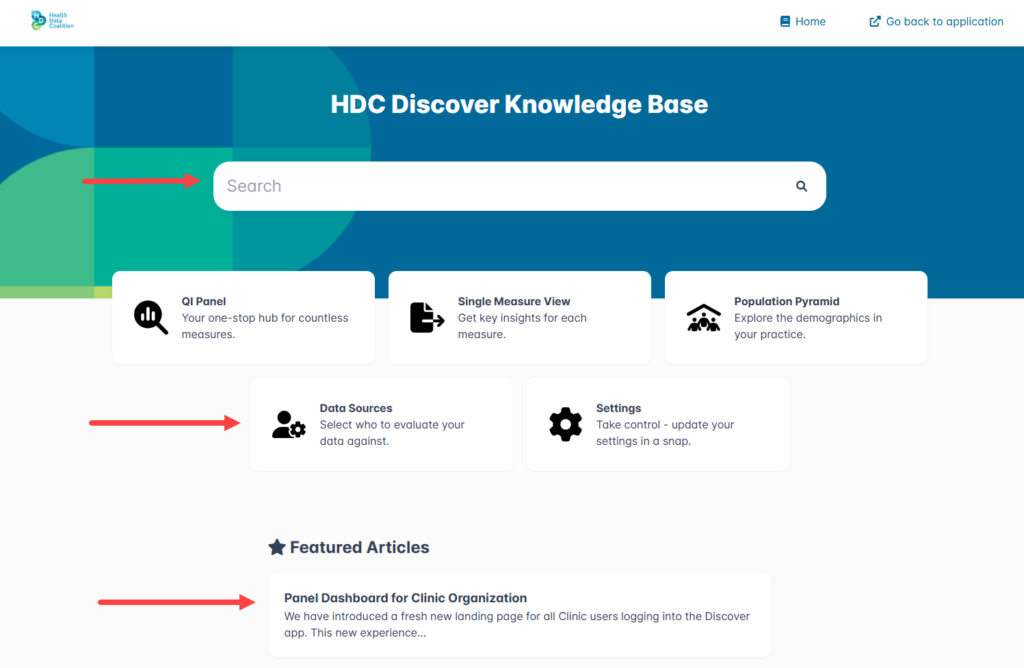
3. The Knowledge Base will open in a new browser tab. On the homepage, you’ll find:
- Popular and frequently viewed articles
- Featured content
- A search bar to quickly find topics of interest
Browse Articles and Related Topics
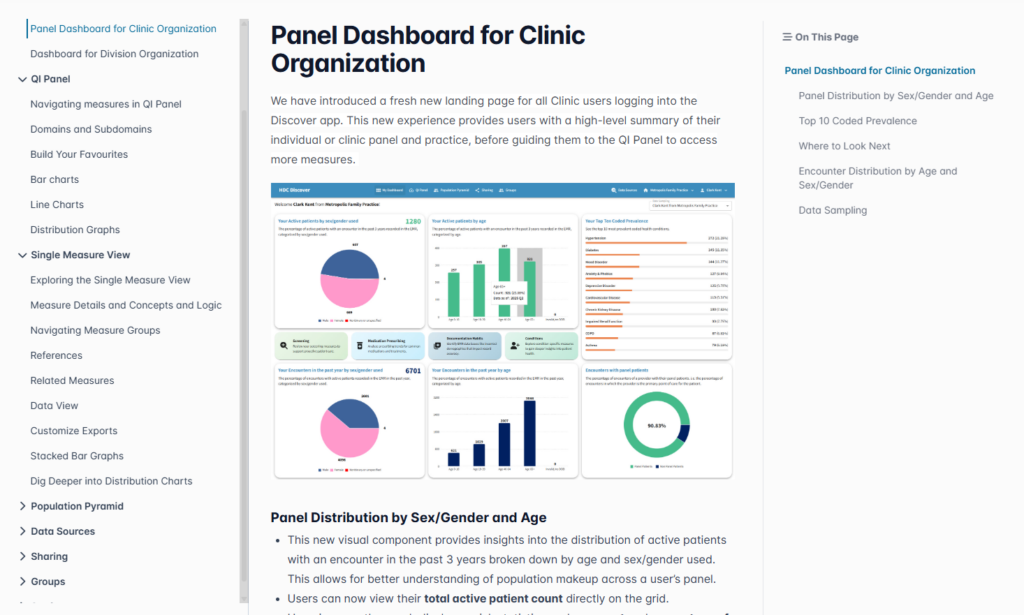
When you open an article, such as Panel Dashboard for Clinic Organization, you’ll find detailed information about that feature along with links to related content.
The navigation menu allows you to easily browse through articles organized by feature area, helping you discover additional resources and learn more about HDC Discover’s capabilities.
The Knowledge Base is designed to be your first stop when you have questions about HDC Discover. We’re continuing to expand our Knowledge Base with new articles and guides, making it easier than ever to learn, explore, and get the most value from HDC Discover.