It’s important to ensure that every member in your clinic has the appropriate roles and responsibilities assigned. Proper role management not only supports effective collaboration but also protects your clinic’s data.
Here’s a quick overview of the roles available within your organization:
- Membership Administration
Members with this role can add new members, modify their permissions, or remove them from the organization. - Clinic Sharing & Group Administration
By default, all members have permissions to share or accept group invites for themselves as individuals. However, assigning this role at the clinic level allows individuals to share their clinic’s aggregated HDC Discover data with others.
Need to Update Someone’s Roles? Here’s How:
If you think someone in your clinic should have different responsibilities, you can update their roles by following these steps:
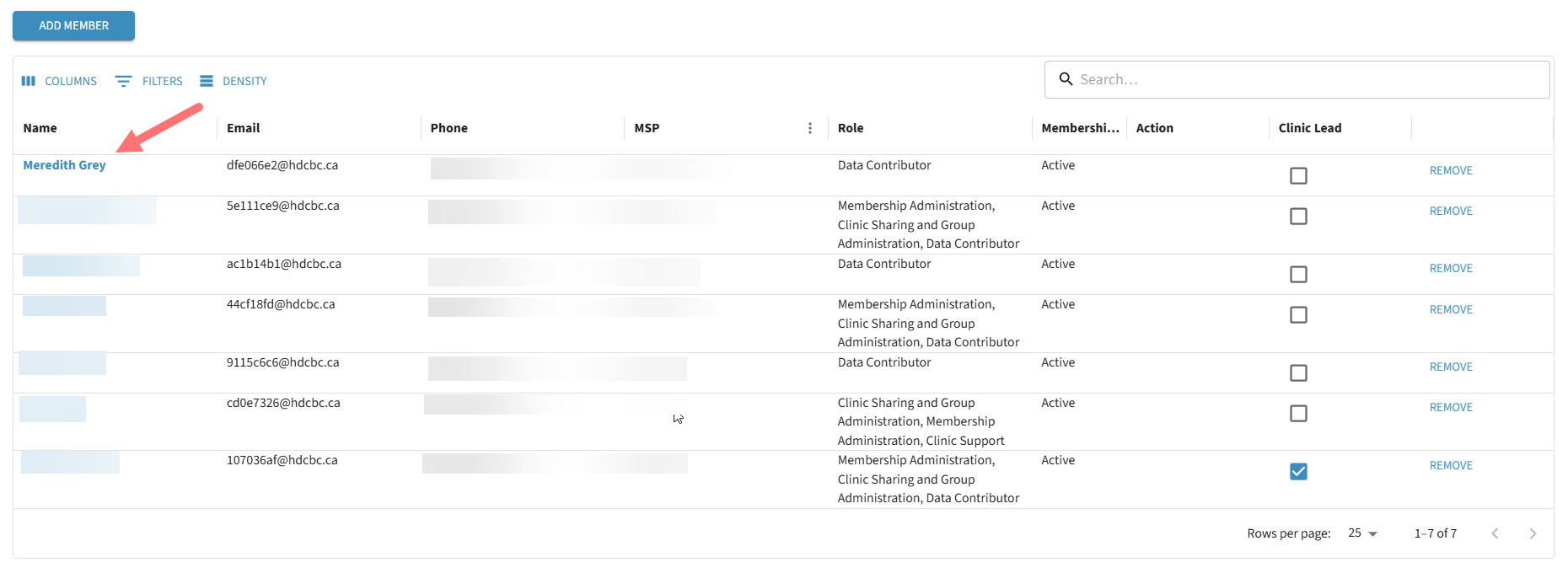
- Open Settings from your account dropdown. The Organization tab appears by default—scroll down to view the list of members.

- Click the name of the member whose roles you’d like to change.
- Under Administrative Roles, check or uncheck the appropriate roles.
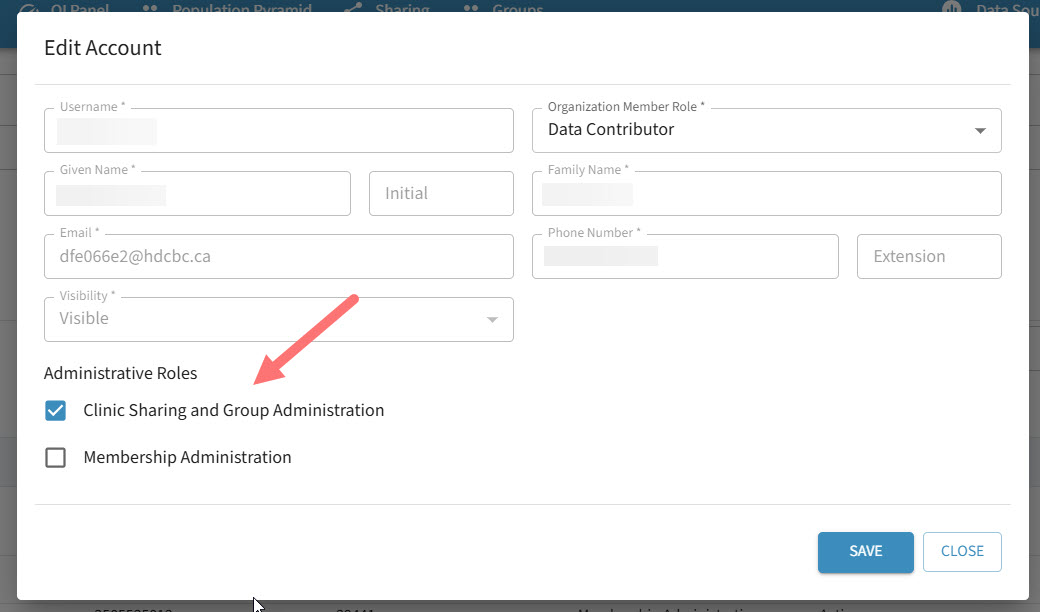
- Click Save to apply your changes.
Can’t Edit Roles? Here’s Why:
If you don’t see the option to edit member roles, it’s likely because you don’t have permission to make these changes. To confirm, check your own role listed in the Member table.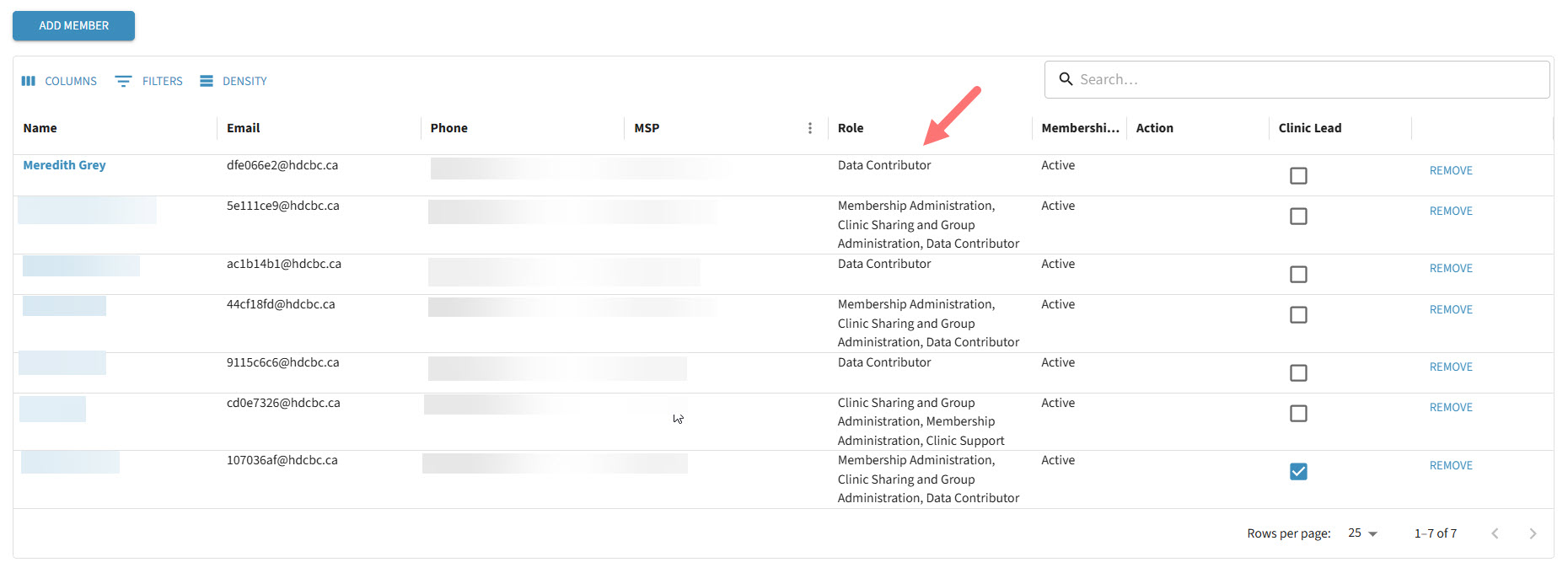
Need access? Reach out to your clinic lead or contact our support team for assistance.