In HDC Discover, switching between multiple options within a measure is made easier with the Single Measure View page. This feature allows users to explore data for different age ranges seamlessly without navigating back to the QI Panel. For instance, let’s review how to view data for different age groups for measures, such as prescriptions for low-carbon inhalers issued to patients with COPD or asthma, without heading back to the QI panel every time.
Follow these steps to navigate within a measure group:
- Access the Measure in the QI Panel
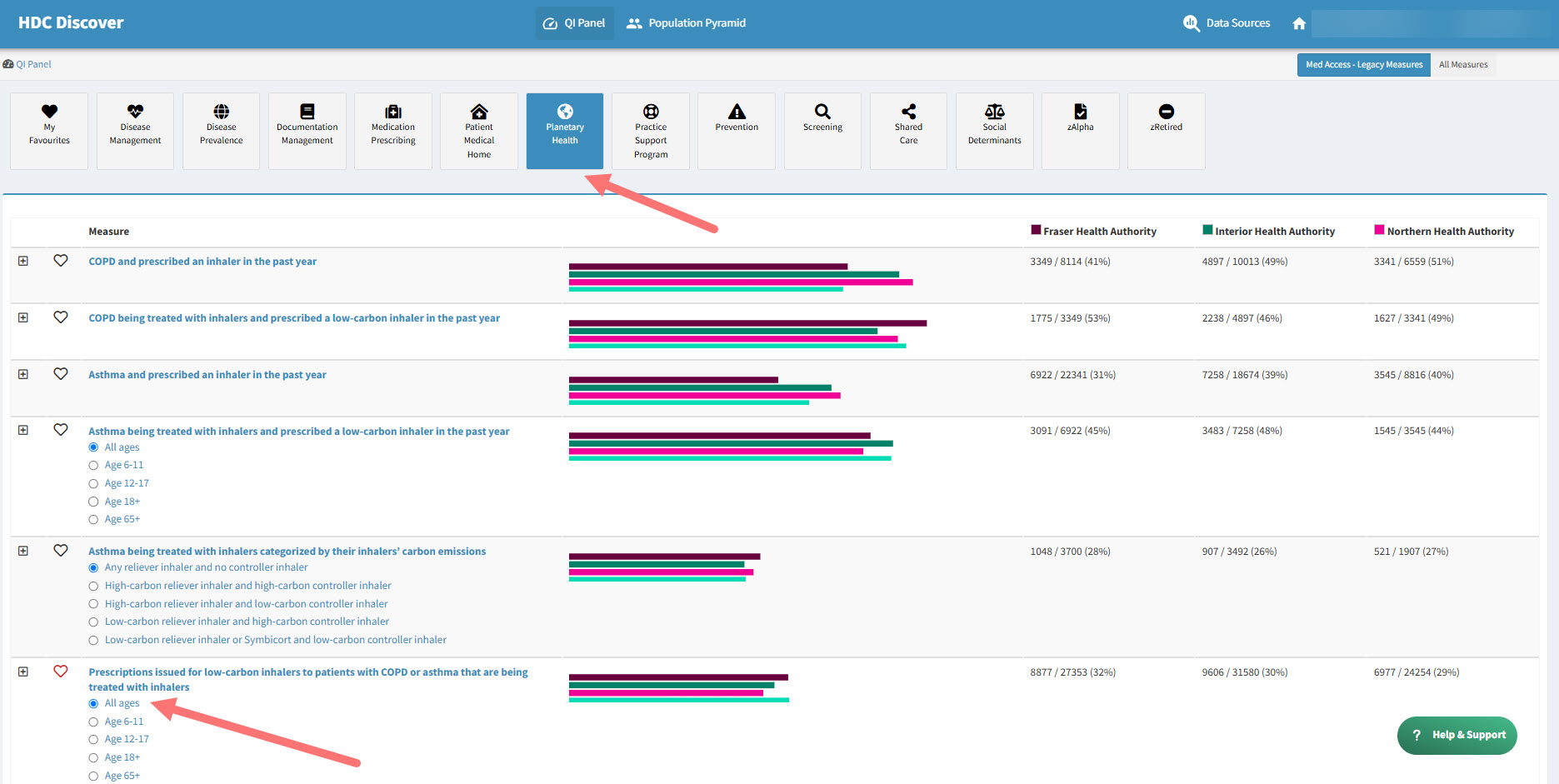
- Click on the Planetary Health domain.
- Navigate down the list to find the Prescriptions issued for low-carbon inhalers to patients with COPD or Asthma that are being treated with inhalers measure.
- Select an Age Option
- A list of options for different age groups will be displayed.
- Click on the All Ages option. You can also click here to access the measure.
- View the Single Measure View Page
- You will be redirected to the Single Measure View page for the selected option.
- Switch to Another Age Option
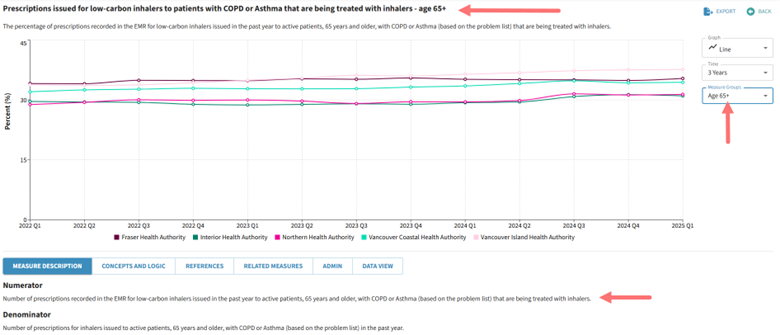
- Instead of going back to the QI Panel, locate the Measure Groups dropdown button located to the right of the graph
- Select a different option, such as 65+.

- Updated Measure View
- The Single Measure View page will update to display data for the newly selected age group.
This streamlined navigation enhances user experience by reducing unnecessary clicks and ensuring quick access to relevant data within a measure group on the same page.