In our HDC Discover Application, the Related Measures feature can be incredibly helpful for users looking to gain a broader understanding of a specific clinical area or measure set. This feature allows you to seamlessly explore other associated measures, offering a more holistic view.
Exploring Chronic Pain Measures
Let’s take a closer look at how you can utilize this feature to delve deeper into Chronic Pain measures:
- Navigate to the Disease Management Domain:
- Click on the Disease Management domain, under the QI Panel.
- Locate and select the Chronic Pain subdomain.
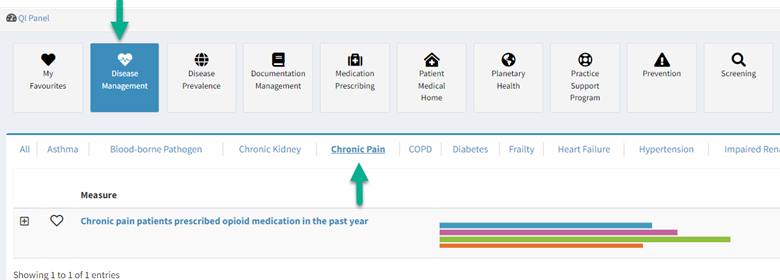
- Select the Measure of Interest:
- Click on the name of the measure. This will display detailed information about the measure in the Single Measure View page.
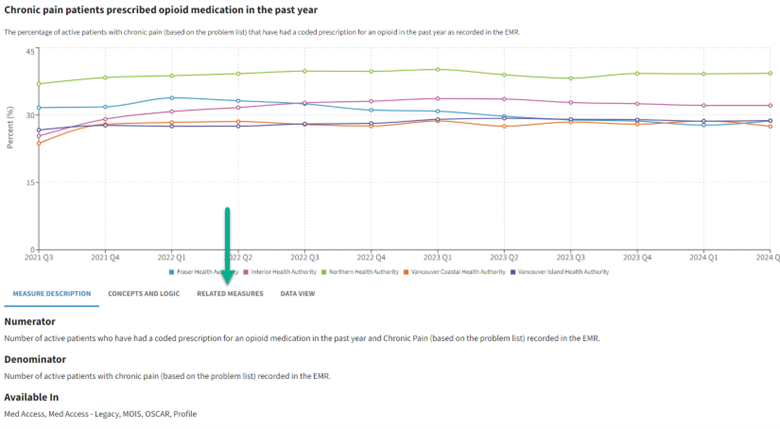
- Beneath the graph, you will find a list of options in a tab format for further exploration.
- Click on the name of the measure. This will display detailed information about the measure in the Single Measure View page.
- Discover Related Measures:
- Click on the Related Measure tab.
- Here, you can find other related measures.

- Learn More:
- Click on a related measure.
- The information for the selected measure will open in a new tab, allowing you to explore it in detail.
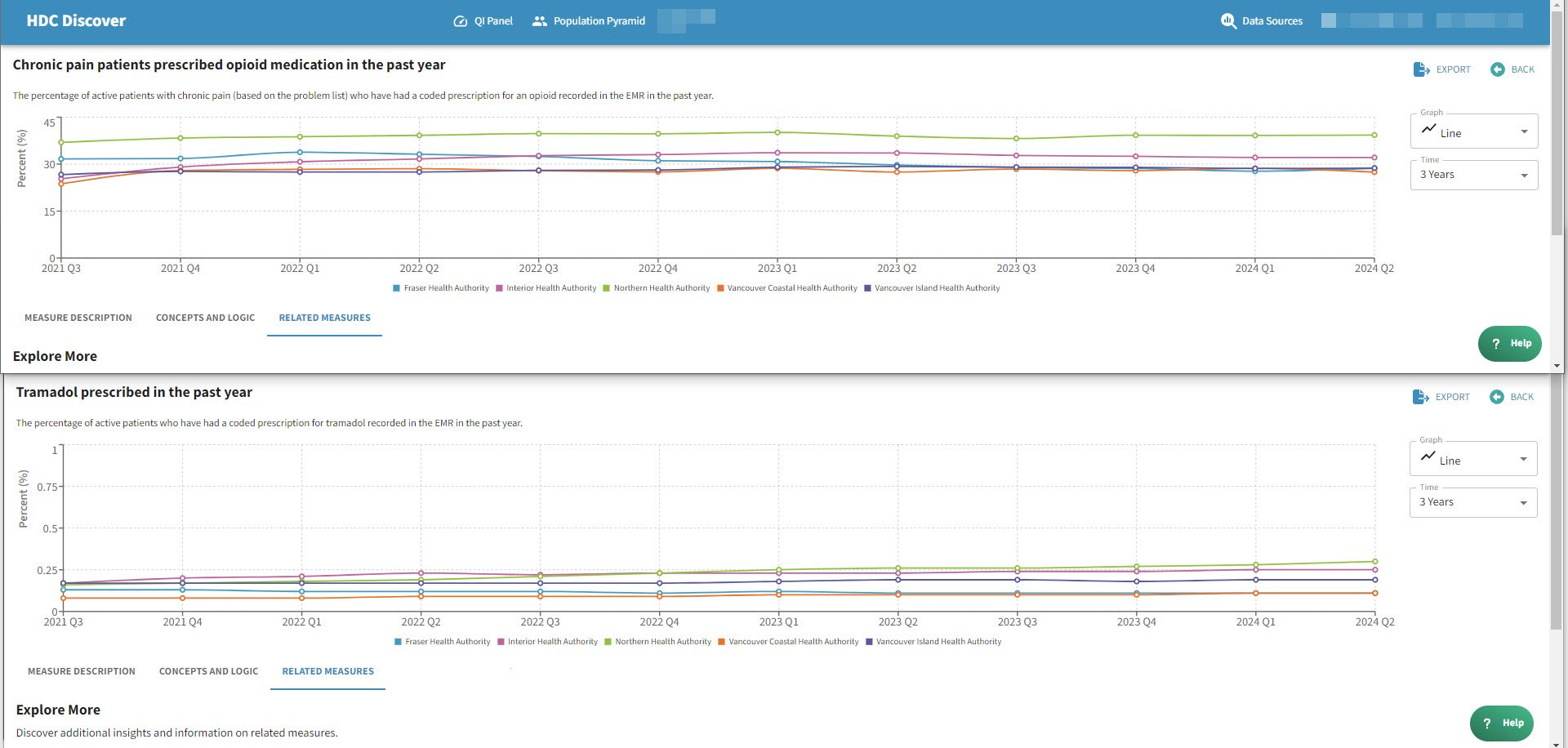
The list of related measures was created to increase the ease of navigation to other measures and supports users to view multiple measures in multiple tabs (or even side by side). This feature is designed to help users gain a broader understanding of the measure set for deeper context.