We’ve introduced the Help & Support button: your one-stop solution for getting quick answers, exploring helpful resources, and reaching out for support whenever needed.
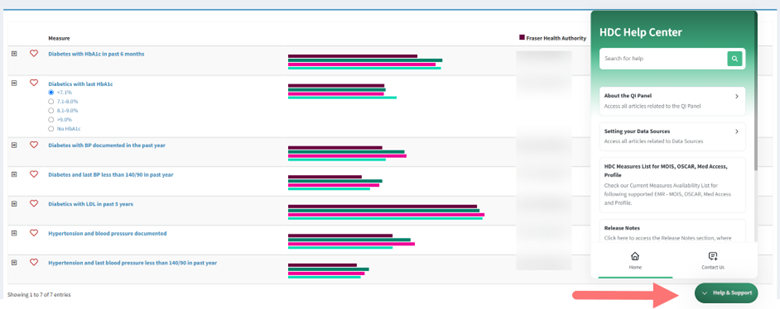
What’s Available in Help & Support?
Our app now includes a comprehensive library of articles, video tutorials, and external resources designed to help users understand everything we offer. Whether you want to set up data sources, learn how the export feature works, understand the graphs in the QI panel, or explore our single measure view, we’ve got you covered!
How to Access Help Articles:
- Click on the Help & Support button visible on your page.
- Type your topic or question, e.g., “How to favourite a measure“, and click on the search button.
- Click on the relevant article to learn more.
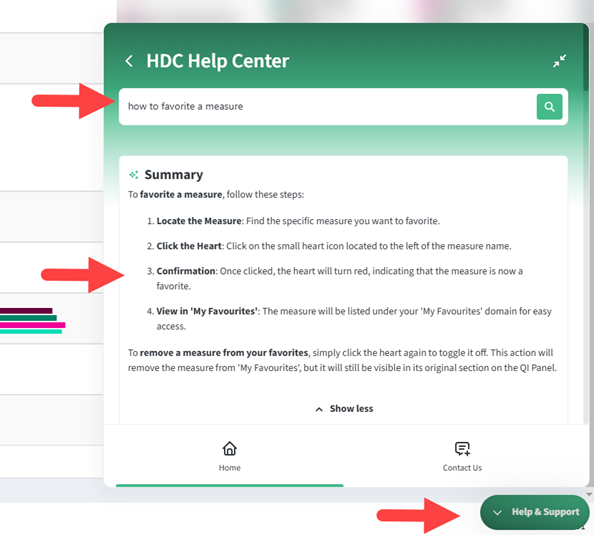
If you don’t find what you’re looking for, don’t worry! You can easily reach out to us for assistance.
How to Contact Support
Need further clarification or want to report an issue? Here’s how you can effectively reach us:
- Under the Help & Support button, click on the Contact Us button.
- Provide detailed information about your question, issue, or anything you want to learn more about.
- Our support team will respond as soon as possible to assist you.
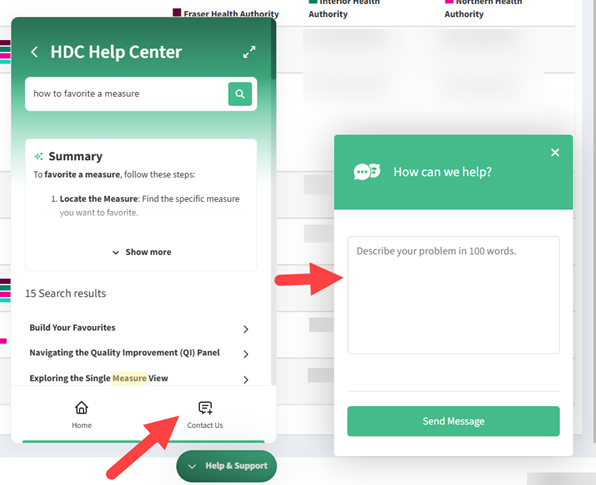
With the new Help & Support button, you have instant access to a library of helpful articles and a direct way to contact our team. Whether you need guidance or have concerns, help is just a click away!
Start exploring today and make the most of all our app has to offer.