2024 has been a transformative year for HDC Discover, with new features and improvements designed to streamline your workflow, provide better data insights, and make the overall experience more user-friendly.
- Major Updates to the Single Measure View: We’ve brought more information to you when looking at the single measure view. Discover new export options, tabs for related measures, and a detailed data view table, all designed to provide deeper insights into your data.
- Improved Data Source Feature: Managing your data sources is now simpler, with a redesigned data sources pop-up and customizable ordering for a more personalized experience.
- Key Enhancements that Transformed Your Experience: Access support faster with our new Help button on every page in the app. Easier to remember logins and more!
- New Measures: We have added over 60 new measures, including new Planetary Health measures and enhancing our diabetes, prevalence, and heart failure measure domains.
Let’s take a closer look at the enhancements we introduced this year:
Major Updates to the Single Measure View
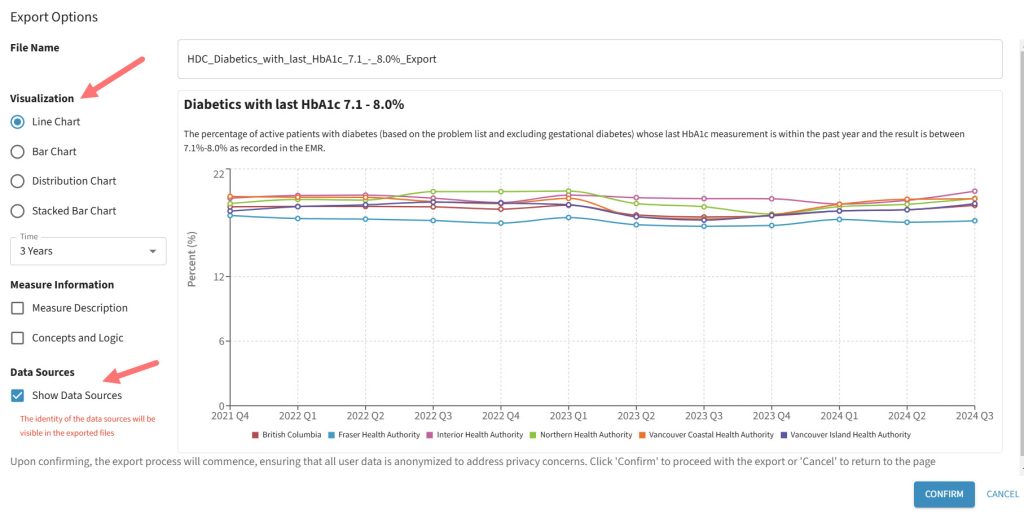
- Export Flexibility: We’ve given users more control over exports of measures. When exporting from the Single Measure View, you can now choose from various charts, decide whether to include measure metadata, and even determine if data source names should be visible in the export file. This flexible approach ensures you get the exact data you need, while protecting sensitive information.
- New Tabs for Enhanced Data Exploration:
- References Tab: Now, each measure comes with a dedicated References Tab, giving you access to related BC Guidelines, images, and tables that offer deeper insights into the measure.

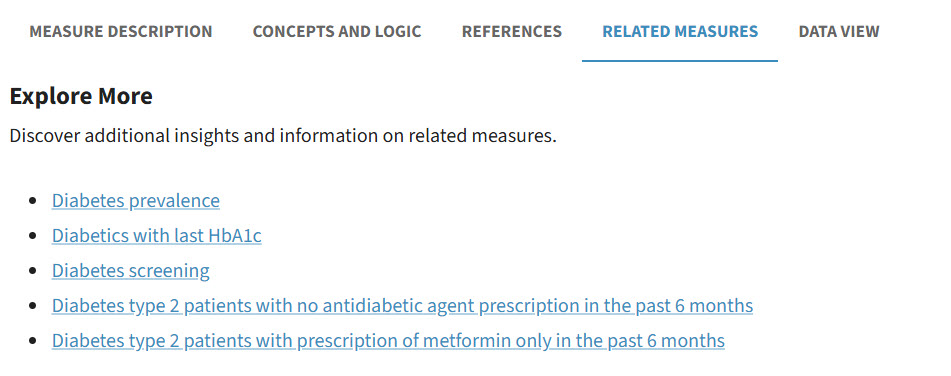
- Related Measures Tab: Discover more with our new Related Measures Tab, designed to show you additional measures that align with the one you’re currently viewing.
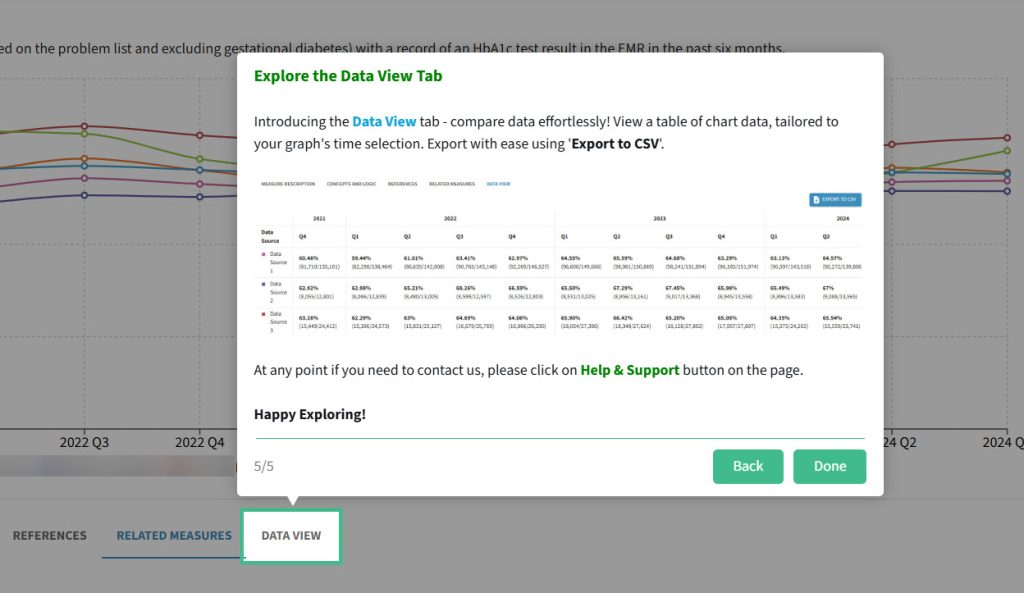
- Data View Tab: We’ve made it even easier to compare data! The new Data View Tab provides a table format of the data used in charts, allowing you to export this data to CSV for further analysis.

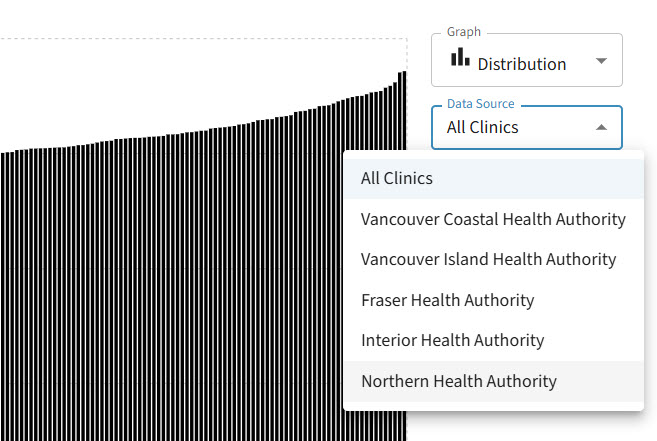
- Expanded Data Control on Distribution Charts: The Distribution Chart on the Single Measure View got a major upgrade. Now, you can select from different data sources to customize what gets displayed, giving you greater control over the insights you generate from the chart.
- References Tab: Now, each measure comes with a dedicated References Tab, giving you access to related BC Guidelines, images, and tables that offer deeper insights into the measure.
Enhanced Data Source Management
We made it easier than ever to manage your data sources. The redesigned Data Sources Pop-up Modal now houses everything you need in a single tab, reducing confusion and lag. Plus, you can now rearrange the order of your preferred data sources, giving you the ability to customize how your data is prioritized and viewed. 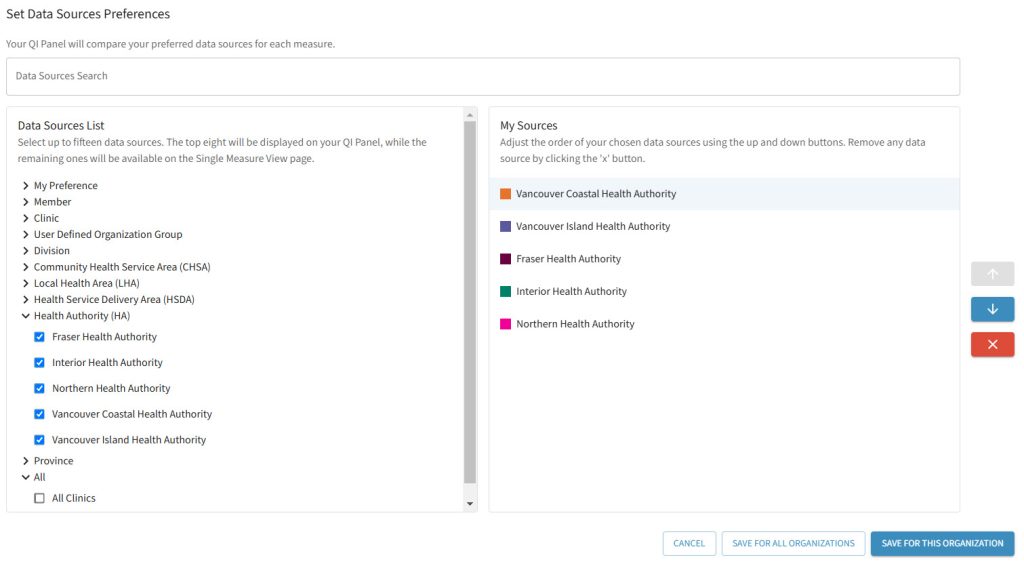
Key Enhancements that Transformed your Experience
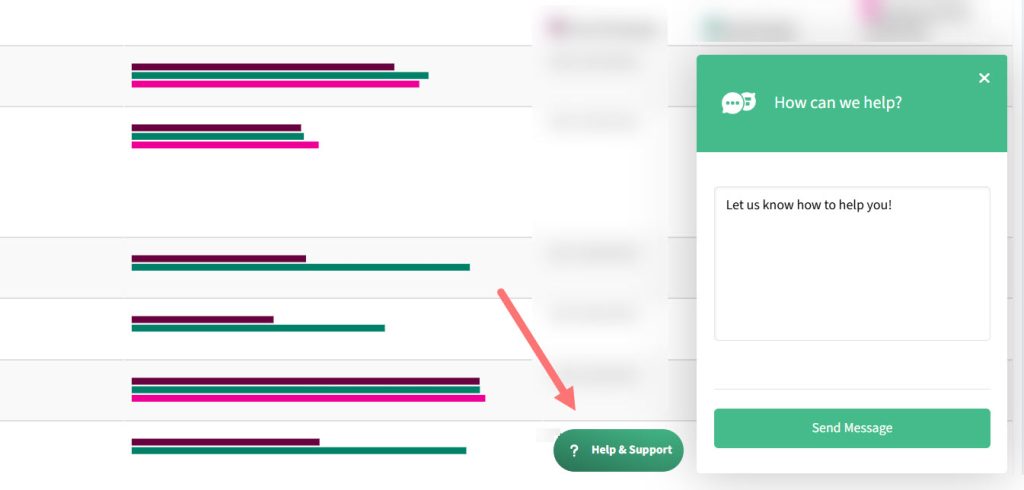
- Help is Just a Click Away: Getting help is now simpler than ever with our new Help & Support button! Have a question or need assistance? Just click Contact Us and type in your comments. Along with this, our searchable help system replaces the outdated PDF Help File, making it quick and easy to find the information you need. Just type in your topic, and you’ll instantly access related articles and tutorial videos to help you get the most out of HDC Discover.
- Feature Tours to Get You Started: Learning new features can sometimes be a challenge, but not anymore! Our new guided Feature Tours walk you through the latest updates and additions, ensuring you never miss out on what’s new. These tours provide a hands-on approach to exploring and mastering new functionalities.
- Simplified Login Options: We know keeping track of usernames can be tricky, so now you have the flexibility to log in using either your email address or your username. This improvement was designed to make the login process faster and easier, reducing any friction so you can jump right into using HDC Discover.
- Main Navigation Tailored to You: Upon login, the top navigation bar now dynamically adjusts to your specific user role, eliminating the need for side navigation. This means more screen space for the content you care about and fewer clicks to access your most-used features. The result? A cleaner, more intuitive interface that helps you stay focused.
- Smart Measure Sorting for More Efficiency: This year, we introduced a logical sorting system for measures in the QI Panel. Now, measures are grouped and organized by type and conditions, making it easier for you to find exactly what you’re looking for, helping you focus on what’s important.
New Measures
- Expansion of Prevalence Measures: To help normalize data and allow users better comparisons to their clinic, community, and health authorities, we have added age ranges to certain prevalence measures, including Diabetes (age 19-39, 40+), Asthma (Age 0-5, 6-11, 12-17, 18+, 65+), COPD (age 40+), and more!
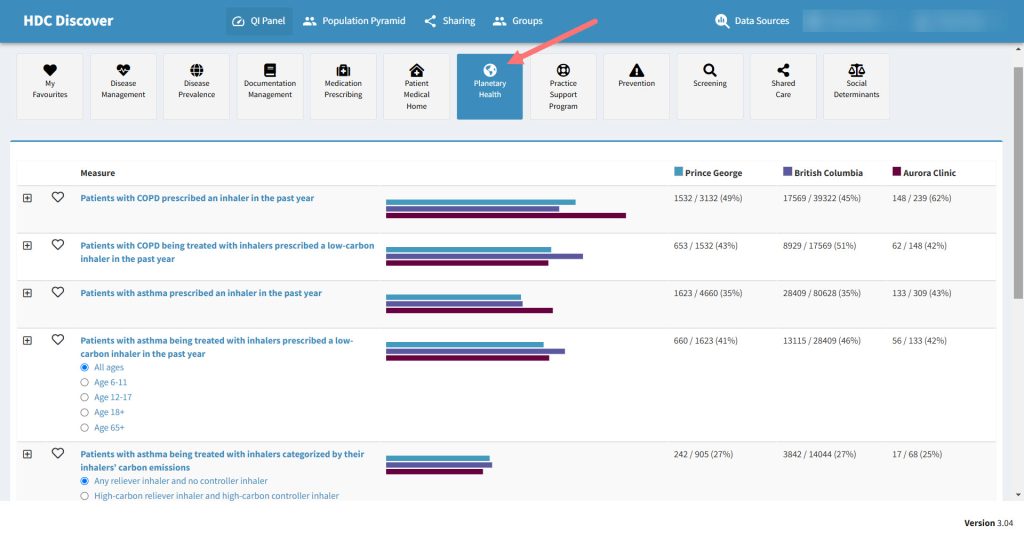
- New Planetary Health Measures: To support the mission of “Low Carbon Care is High Quality Care”, we developed a series of measures that supports physicians in reducing the number of metered dose inhaler prescription. This allows for high quality patient care while helping the environment.
- Heart Failure Prescribing: We’ve expanded our measures to include measures that help evaluate the use of Guideline Directed Medical Therapy (GDMT) use in patients diagnosed with heart failure, aiming to reduce cardiovascular mortality and hospitalizations due to heart failure.
- Additional topics expanded this year:
- Kidney disease screening: uACR measurements documented in patients with Hypertension, Diabetes, and Cardiovascular Disease.
- Hypothyroidism prevalence, disease management, and prescribing measures
- GAD-7 and PHQ-9 screening
- Diabetes Management, including prescribing of GLP-1 agonists
Check out our latest availability for all measures across supported EMR’s here.
We’ve introduced countless enhancements to ensure the app works for you, and we’re not stopping here. With 2025 around the corner, we have even more exciting updates on the horizon to take your HDC Discover experience to the next level.
Stay tuned!